12 Best Wedding Photo Sharing Apps 2026, Ranked
We ranked 12 wedding photo sharing apps and flagged one to avoid. Every price and feature re-verified on each vendor's live site, 4 September 2026.

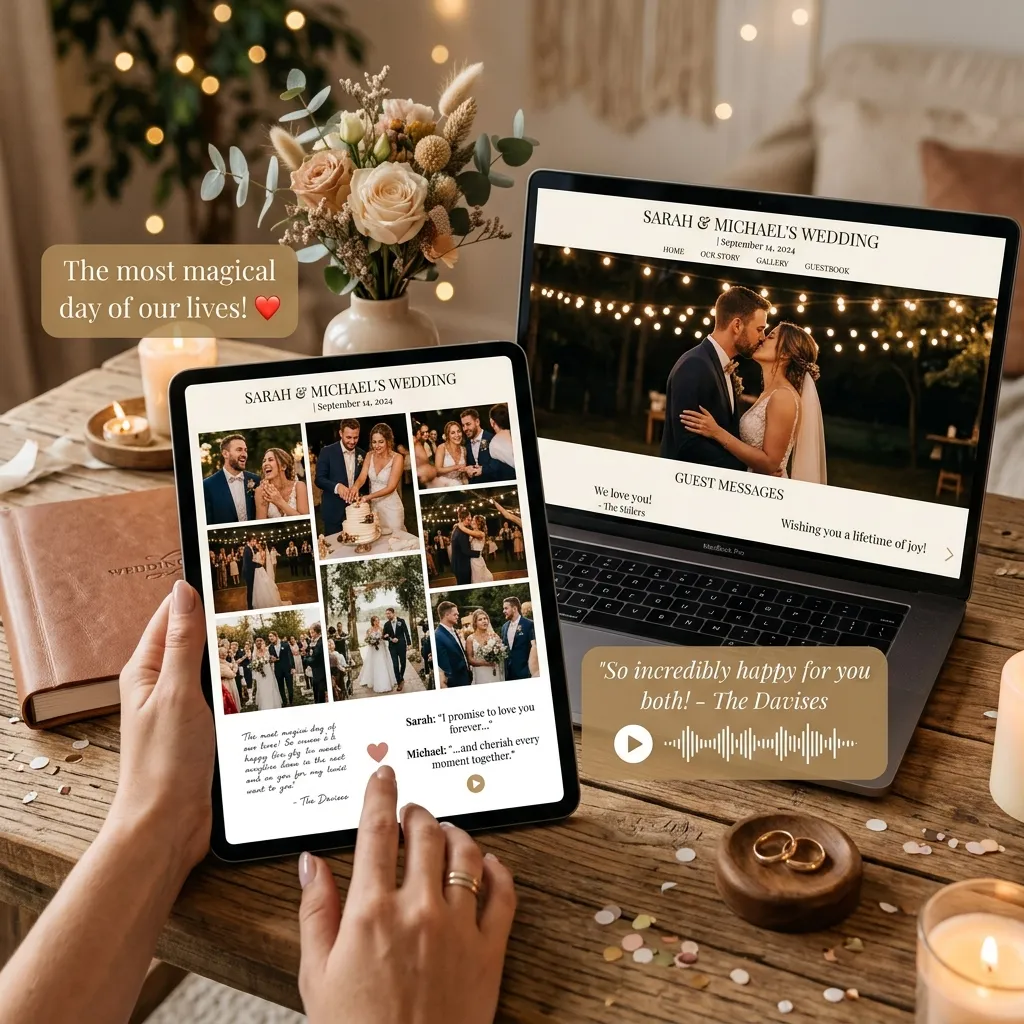
Every list of the best wedding photo sharing apps on the first page of Google is written by one of the apps. This one is too — we build EventPixel.
So rather than pretend otherwise, we do the three things vendor lists skip. We re-verified every price and feature against each vendor's own live pages on 4 September 2026. We say plainly what each rival does better than we do, and who should not use each one. And we name a well-known app that is now effectively dead, which recommending could cost a couple their wedding photos.
Twelve apps, ranked. Plus the two free tools most couples try first, and why they usually fail at a wedding.
How we ranked these
Wedding photo apps are bought once, used for one irreplaceable day, and judged on whether the photos actually arrive. So we weighted in this order:
- Guest friction (35%). Anything a guest must install, sign up for or remember kills upload rates. QR-to-browser is the only pattern that reliably works on a dance floor.
- What you actually keep (25%). Original-quality files, a bulk download, and how long the gallery stays reachable before it locks or expires.
- Honest total cost (20%). The real number after add-ons, not the headline tier. Face search sold separately counts against a product here.
- Getting photos to the right people (10%). AI face search, sub-albums, and whether guests can find themselves without you playing librarian.
- Everything else (10%). Wedding website, RSVP, guestbook, live slideshow, seating chart.
Every price below is one-time per event unless stated. Where a vendor shows a struck-through "was" price, we say so, because a permanent discount is just the price.
The 2026 field at a glance
| App | Best for | Free tier | Paid | AI face search |
|---|---|---|---|---|
| EventPixel | Overall: gallery + website + face search | 100 uploads, website, live wall | $19 / $39 / $69 | Included from $39 |
| Wedibox | All-in-one without face search | 50 uploads | $29 / $49 / $79 | No |
| GuestPix | Longest track record | None | $49 / $89 / $119 | No |
| Kwikpic | Free face search, if you accept a subscription | 1,000 photos year one | $14.99–$79.99 per year | Included, all plans |
| WedUploader | Genuinely free collection | Unlimited, into your Drive | $39 account-wide | No |
| Eventoly | Long storage windows | Free trial | $49 / $59 / $89 | No |
| GuestCam | Video-first weddings | None | $49 / $97 + $45 | Add-on, $45 |
| Kululu | Cheapest paid tier | 50 uploads, 24 hours | $39 / $99 promo | No |
| Fotify | Budget per-event pricing | Yes | $29.99 / $49.99 | No |
| Pix.wedding | Simple, no extras | None | $49 / $59 / $89 | No |
| POV | Disposable-camera feel | Up to 10 guests | $4.99–$89.99 by guest count | No |
| Joy | Website and registry first | Everything | Free | No |
1. EventPixel — best overall (yes, we build it)
Our case, stated as facts you can check. Guests scan a QR code and upload from the browser: no app, no account, no login. The free plan includes a wedding website with the gallery built in, 100 guest uploads and the live photo wall. Paid plans are one-time: $19 for unlimited uploads, voice messages and RSVP management; $39 adds PixelFind AI face search, where each guest takes one selfie and gets every photo they appear in; $69 adds a two-year gallery and unlimited co-hosts.
The specific thing we do that nobody else on this list matches: face search included in a one-time, per-event price. Kwikpic includes it too but bills annually and caps your photo count. GuestCam sells it as a $45 add-on. Everyone else does not offer it at all.
What rivals do better: GuestPix has years more track record and more third-party reviews. Wedibox has a seating chart and an embed widget we do not. WedUploader's storage never expires; ours runs on plan windows. Kwikpic's free tier handles more photos in year one than ours does.
Who should not use EventPixel: if you want files landing permanently in storage you own and control, WedUploader's architecture is genuinely better than ours. If you run more than three events a year, a Kwikpic annual plan works out cheaper than paying us per event.
2. Wedibox — the closest all-in-one alternative
Feature for feature the nearest thing to EventPixel here: QR guest uploads with no app, a wedding website from the $49 plan, an audio guestbook, live slideshow and original-quality downloads. Pricing is one-time: free with 50 guest uploads, $29 Embed for an embeddable gallery widget on a site you built elsewhere, $49 Wedding, and $79 All-In-One adding RSVP, meal tracking and a live seating chart. Their pricing page states it plainly: "Every plan stores your gallery for a year after the event."
Upload windows differ by tier — three months on Embed, six on Wedding, a year on All-In-One — and the window starts on your event date, not your purchase date, so buying early costs nothing.
Where it beats us: the $29 Embed plan has no EventPixel equivalent and is the right answer if your website already exists on The Knot, Zola or Squarespace. The live seating chart is a real feature we lack.
Who should not use Wedibox: anyone who wants face search, at any price. And if RSVP matters, you are pushed to the $79 tier, where our $19 plan already includes it.
3. GuestPix — the established pick
The longest-running name here, and it shows in polish and support. One-time pricing, recently renamed: $49 Classic (one gallery), $89 Signature and $119 Signature Bundle. Their FAQ is unusually clear: "a one-time payment with no recurring charges, no hidden fees, and no auto-renewal… hosted for 12 months from your event date." A current promotion adds unlimited Super Albums to the two Signature tiers at no extra cost.
Where it beats us: track record and third-party reviews. If you want the safest-feeling incumbent, this is it.
Who should not use GuestPix: budget-conscious couples. Its entry tier costs more than our mid tier, there is no free plan to test with, and there is no face search at any price. Note their plan names changed recently, so older comparison articles quoting Small, Medium and Large are out of date.
4. Kwikpic — best free AI face search, with a catch
The genuine counterexample to any "only app with face search" claim, and we would rather tell you than have you find out. Kwikpic includes unlimited AI face recognition on every plan, including the free one. Their help centre says it outright: "Facial recognition is free."
The catch is in the next sentence of that same page: "You can upload up to 1,000 photos for free in the 1st Year. The free limit reduces to 100 photos from the 2nd Year onwards." And Kwikpic is an annual subscription, not a per-event purchase. Personal plans run ₹790 to ₹4,990 a year, billed internationally at $14.99 to $79.99 a year for 5,000 to 50,000 photos. Photographer plans run higher.
It is also built around a photographer-upload workflow rather than guests uploading themselves, which is a different shape of product from the rest of this list.
Where it beats us: face recognition at zero cost, and better value if you run several events a year rather than one wedding.
Who should not use Kwikpic: couples planning exactly one wedding who do not want a recurring bill, and anyone whose guests will upload directly. Also worth knowing the international price is not a currency conversion — ₹790 is roughly $9, but the international tier bills $14.99.
5. WedUploader — best truly free photo collection
A different architecture: guests upload straight into your Google Drive, and WedUploader stores nothing. That makes its free plan the most honest in the category — unlimited uploads at original quality, unlimited guests, and no expiry, because it is your storage. Their page says it: "Start Collecting Photos Today And Your Album Never Expires."
The $39 one-time upgrade is account-wide across all your albums, not per event, and adds the gallery view, guestbook, voice messages and moderation. Individual features are also sold à la carte from $10 to $30 if you only want one, and a seating chart add-on costs $19.
Where it beats us: permanence. Files in your own Drive never depend on a vendor staying in business. No app on this list matches that, ours included.
Who should not use WedUploader: anyone near their Drive limit. A free Google account gets 15 GB shared across Gmail, Drive and Photos, and a wedding's worth of original-quality photos will eat that. When it fills, uploads fail. There is also no wedding website, no RSVP and no face search.
6. Eventoly — longest storage windows
Straightforward QR uploads with no guest app, and the most generous retention here. Three one-time tiers, all currently discounted: $49 Starter (was $69, three months of uploads and six months of storage), $59 Standard (was $89, six months and a year), and $89 Pro (was $129, a year of uploads and two years of storage). Their wording: "One-time payment per event. No subscriptions."
Every tier includes unlimited photos and guests, original quality, ZIP download, audio guestbook and a live slideshow, so the tiers differ mainly on time rather than features. There is a free trial with no card required.
Where it beats us: the two-year storage on Pro matches our top tier at a lower entry point, and even the cheapest tier bundles features we gate.
Who should not use Eventoly: anyone who needs face search or a wedding website, neither of which it has.
7. GuestCam — video-first, at a real price
Strong on video and guest prompts. $49 Standard and $97 Premium, both shown against struck-through $55 and $110 anchors with no expiry date on the offer, which makes those anchors decorative rather than a sale.
The number to watch is MagicFind, their face search, sold as a $45 add-on that "works with any GuestCam plan". So face search really costs $94 or $142 here, against $39 with us. That single line is why GuestCam appears this far down.
Where it beats us: video prompts and guest-direction features are genuinely more developed.
Who should not use GuestCam: anyone on a budget who wants face search, which is the specific combination it prices worst.
8. Kululu — the budget paid pick, if you read the clock
Cheapest real paid tier here, with a caveat. $39 Plus and $99 Pro, both currently at 50% off list prices of $79 and $199 under a site-wide "50% off ON ALL PLANS for Limited time" banner. Treat $39 and $99 as promotional.
Read the time limits before buying. The free plan allows 50 uploads, keeps them 7 days, and the gallery is active for just 24 hours from your event date. Plus allows 500 uploads with three months of storage and a one-month active window. Pro is unlimited with a year of storage and three months active.
Where it beats us: the entry price, when the promotion is running.
Who should not use Kululu: anyone treating the free tier as a real option. A 24-hour window means guests who upload the morning after the wedding may find it closed. No face search.
9. Fotify — cheapest per-event tiers
A newer entrant competing mainly on price and on sheer content volume. Free tier, then $29.99 Photo Gallery and $49.99 Premium Event, priced per event. It markets AI moderation, which screens uploads, but this is not face search and does not help guests find themselves.
Where it beats us: the $29.99 tier undercuts our $39, if moderation matters more to you than face search.
Who should not use Fotify: anyone expecting the AI branding to mean face recognition. It does not.
10. Pix.wedding — simple and unfussy
A clean QR gallery with little beyond the core job. $49 Starter, $59 Standard and $89 Pro, one-time, all shown against higher struck-through prices of $69, $89 and $129.
Where it beats us: nothing specific we can point to, which is the honest answer. It does the basic job competently.
Who should not use Pix.wedding: anyone wanting a website, RSVP or face search, since the entry price sits above our mid tier without them.
11. POV — best disposable-camera experience
The most distinctive product here. POV recreates the disposable-camera feel: guests shoot through the app and photos stay hidden until you "develop" them, which produces genuine reveal-party energy the morning after.
Pricing is by guest count rather than features: free up to 10 guests, $4.99 for 25, $14.99 for 50, $34.99 for 100, $64.99 for 175 and $89.99 for 250, with larger weddings quoted individually.
One asymmetry to know: guests need no download, using App Clips on iOS and the web on Android, but you must install the app to host a personal event.
Where it beats us: the delayed-reveal mechanic is a real experience we do not offer.
Who should not use POV: anyone wanting photos immediately, on a live wall during the reception, or with face search. The whole point is that you cannot see them yet.
12. Joy — if the website and registry come first
Joy is a full wedding-planning platform where photo sharing is one feature among many, and the whole thing is free. Its Moments feature is a shared timeline with a slideshow, reactions and comments.
Where it beats us: price, obviously, and the planning suite around it, with registry, guest list and website all in one place.
Who should not use Joy: anyone who wants photo collection to be the main event. Moments is a social timeline, not a photo-collection tool, with no face search and no original-quality bulk download of the kind the dedicated apps build around.
The two free options most couples try first
Before buying anything, most couples try a Google Photos shared album or a WhatsApp group. Both are free and both work, up to a point worth understanding.
Google Photos shared albums hold up to 20,000 photos or videos, which is far more than a wedding produces. The real constraint is storage: a free Google account gets 15 GB shared across Gmail, Drive and Photos, and compressed uploads have counted against that quota since June 2021. Original-quality wedding photos from a hundred guests will pressure that. Guests also generally need a Google account, and every uploader's files count against their own storage, so a guest close to their limit simply cannot contribute.
WhatsApp groups now hold up to 1,024 members, so size is not the problem. Quality is. WhatsApp offers only Standard or HD quality for photos and documents no original-file option, so what you receive is not what their camera captured. Worse, there is no cloud archive: WhatsApp's privacy policy states it does not retain messages in the ordinary course of service. Media lives on each participant's device, and once someone clears their storage it is gone with no way to re-download it.
Both are fine for a small gathering. For a wedding you only get once, neither gives you original files in one place that you control.
Avoid in 2026: the Eversnap event photo app
Eversnap still appears on many "best wedding photo app" lists. It should not. We checked on 4 September 2026:
- The iOS app ID that Eversnap links from its own homepage returns a 404 on the App Store, and Apple's lookup API returns zero results across the US, UK, German and Indian storefronts.
- The Android package linked from that same homepage returns a 404 on Google Play, titled "Not Found".
- We ran control checks against working apps on both stores, which returned normally, so these are genuine removals rather than a block on our requests.
- The website is still live but carrying injected SEO spam, with casino and gambling keywords spliced directly into the product copy. One sentence sits inside their "Invite guests" feature description, mid-paragraph, advertising non-GamStop casinos.
A couple who picks Eversnap off an old listicle will find nothing to install. If you are an editor with Eversnap on a list, that is worth a correction.
One caution to avoid confusion: an unrelated app called "EverSnap: Status & Story Saver" is still live on Google Play. It is a WhatsApp status downloader from a different developer, not the wedding product.
What changed since our last update
We first published this in August 2026 and re-verified everything on 4 September. Four things moved, and they are the reason we re-check rather than copy:
- GuestPix renamed its plans. Small, Medium and Large became Classic, Signature and Signature Bundle. Prices held at $49, $89 and $119. Any list still quoting the old names has not looked since.
- We had to correct ourselves on face search. Our August version implied nobody else included it in a plan. That was wrong: Kwikpic includes unlimited face recognition on every plan including its free one. We have rewritten the claim to what is actually true, which is that we are the only app including it in a one-time per-event price.
- Several "sale" prices are permanent. Kululu, Eventoly, Pix.wedding, GuestCam and wedding.studio all show struck-through higher prices with no expiry date. After three weeks at identical discounts, those are list prices with decorative anchors. We quote what you actually pay and say when a discount is running.
- Eversnap got worse. Still delisted from both app stores, and the website is now carrying injected casino spam inside its product copy, which suggests nobody is maintaining it at all.
What we could not verify
Two things we deliberately left out, because other lists state them and we could not confirm them on an official page.
The first is the collaborator limit on a Google Photos shared album. Numbers like 250 circulate widely, but they trace to community forum posts rather than Google's documentation, so we do not print one. The second is WhatsApp's often-quoted 16 MB photo limit, which does not appear on WhatsApp's live help pages; the documented limits are 2 GB for documents and 100 MB for video on a fast connection.
We also could not read Kwikpic's plan prices from its pricing page, which renders them as images, so the figures above come from its own help centre and the app's public plan data instead.
Picks by wedding size
Under 50 guests. Try free first. WedUploader collects unlimited originals into your own Drive at no cost, and POV is free up to 10 guests if you want the disposable-camera feel. Our free tier covers 100 uploads with a website and live wall.
50 to 120 guests. The sweet spot for a paid one-time plan. Expect 500 to 2,000 photos. Our $39 tier with face search, or Wedibox at $49 if you want the seating chart more than the face search. Kululu at $39 works if you accept the time windows.
120 to 250 guests. Face search stops being a luxury: nobody scrolls 3,000 photos to find themselves. Our $39 or $69 tier, or GuestCam at $94 all-in if you are video-heavy. At this size a $45 face-search add-on is worth it, but check whether you are paying twice for it.
250 or more, or multi-day. Sub-albums per event and long storage windows matter most. Our $69 tier with a two-year gallery and unlimited co-hosts, or Eventoly Pro at $89 for two-year storage. Multi-day Indian weddings in particular need per-function albums rather than one undifferentiated stream.
Frequently asked questions
What is the best wedding photo sharing app in 2026?
EventPixel, by our reckoning, with the disclosure that we build it. The checkable version: it is the only app here that includes AI face search in a one-time, per-event price of $39, and its free tier bundles a wedding website, 100 guest uploads and a live photo wall. The strongest alternatives are Wedibox for an all-in-one without face search, WedUploader for permanent free collection into your own Google Drive, and Kwikpic if a yearly subscription with free face recognition suits you better.
Is there a completely free wedding photo sharing app?
WedUploader's free plan is the most complete: unlimited original-quality uploads into your own Google Drive with no expiry, capped only by your Drive space. Joy is free too, though photo sharing is a social timeline there rather than a collection tool. Our free plan covers 100 uploads plus the website, RSVP and live wall. Most other free tiers are demos: GuestPix and Pix.wedding have none at all, Wedibox stops at 50 photos, and Kululu's gallery is active for only 24 hours.
Which wedding photo apps work without guests downloading an app?
EventPixel, Wedibox, GuestPix, Kululu, WedUploader, Eventoly, Fotify and Pix.wedding are all browser-based: guests scan a QR code and upload immediately. POV is a partial exception — guests need no download thanks to App Clips and its web version, but the host must install the app for a personal event.
Which wedding photo sharing apps have AI face search?
Three, in different shapes. EventPixel includes PixelFind from its $39 one-time plan. Kwikpic includes unlimited face recognition on every plan including free, but bills as a yearly subscription. GuestCam sells MagicFind as a $45 add-on on top of a $49 or $97 plan. Wedibox, GuestPix, Kululu, WedUploader, Eventoly, Fotify, Pix.wedding, POV and Joy do not offer it at all.
How much does a wedding photo sharing app cost?
One-time plans run from about $19 to $119. As of 4 September 2026: EventPixel $19 to $69, Fotify $29.99 to $49.99, Kululu $39 to $99 on promotion, WedUploader $39 account-wide, Wedibox $29 to $79, GuestCam $49 to $97 before the $45 face-search add-on, Eventoly $49 to $89, Pix.wedding $49 to $89, and GuestPix $49 to $119. Kwikpic is the outlier, charging $14.99 to $79.99 per year rather than per event.
Do I need face search for my wedding?
It depends almost entirely on guest count. Under 80 guests, a well-organised gallery is browsable and face search is a nice extra. Above about 120, your gallery will hold thousands of photos, and without face search you become the person fielding "can you send me the ones of us?" messages for months. That is the job it removes.
Can guests upload videos as well as photos?
Most apps here accept both, though limits vary by plan and vendor, and video eats storage far faster than photos. GuestCam is the most video-focused. Check the specific limits on whichever plan you buy, because this is where quotas bite first.
What happens to my photos after the event?
This is the most-missed detail, and vendors differ sharply. Wedibox stores every plan's gallery for a year after the event. GuestPix hosts for 12 months from your event date. Eventoly runs six months to two years by tier. Kululu ranges from 7 days on free to a year on Pro. Our top tier runs two years. WedUploader is the exception, since files are in your own Drive and never expire. Always check whether the clock starts at purchase or at your event date.
Can I download all the wedding photos at once?
Yes on most paid plans, usually as a ZIP at original quality. Confirm two things before buying: that the download is original quality rather than web-compressed, and that bulk download is on the tier you are actually purchasing rather than only the top one.
What is the difference between a wedding photo app and a Google Photos shared album?
A shared album is free and holds up to 20,000 items, but guests generally need a Google account, each person's uploads count against their own 15 GB shared with Gmail and Drive, and there is no QR entry point, no live display and no face search. A dedicated app trades that for one-tap guest access with no account, and a gallery you control.
Is WhatsApp good enough for collecting wedding photos?
Only for a small gathering. Groups hold up to 1,024 members, so size is fine, but WhatsApp offers only Standard or HD quality and documents no original-file option for photos. There is also no cloud archive, since the privacy policy states messages are not retained in the ordinary course of service. Media lives on participants' devices, and clearing storage deletes it permanently.
Do these apps work for Indian and multi-day weddings?
The browser-based ones do, since no app install means no friction with an international guest list. What matters more at a multi-day wedding is sub-albums, so mehndi, sangeet and reception photos stay separate rather than merging into one stream, plus a longer storage window and multiple co-hosts. Kwikpic is India-focused and prices in rupees, though its photographer-upload model suits a hired photographer more than guest uploads.
What happened to Eversnap?
The Eversnap event photo app is gone from both app stores. The iOS and Android IDs linked from Eversnap's own homepage both return 404, verified against working control apps on 4 September 2026, and the website now carries injected casino spam inside its product copy. Do not confuse it with "EverSnap: Status & Story Saver", an unrelated and still-live app from a different developer.
How often is this list updated?
Every price and feature here was re-checked against each vendor's live pages on 4 September 2026, and this page shows its last-updated date. Prices in this category change often, and several vendors run permanent "sale" prices, so we re-verify rather than copy from other lists. If you find something out of date, tell us and we will correct it.
Sources
Every figure above came from the vendor's own live pages, checked on 4 September 2026: guestpix.com/weddings-pricing, wedibox.com/pricing, kululu.com/pricing, weduploader.com/pricing, guestcam.co/pricing and its MagicFind page, kwikpic.in/helpdesk/intro, eventoly.com, pov.camera/pricing, fotify.app, pix.wedding and withjoy.com/pricing. Google Photos and WhatsApp limits come from support.google.com, one.google.com and faq.whatsapp.com. The Eversnap delisting was verified against the Apple App Store, Apple's lookup API and Google Play, each with control checks against working apps.
Where a vendor renders prices client-side, we read the values from the site's own public data rather than guessing. Where we could not verify something, we left it out rather than repeat a number from another list.
Conclusion
If you want one recommendation: at a wedding over 100 guests, get face search, because it is the difference between a gallery people use and an archive nobody opens. We include it at $39 one-time, Kwikpic includes it free on a yearly subscription, and GuestCam charges $45 on top. If you would rather own the files outright, WedUploader's free plan into your own Drive is the honest choice, and we will not pretend otherwise.
Whatever you pick, check three things before paying: whether the storage clock starts at purchase or at your event, whether bulk download is original quality, and whether the price you see is the list price or a permanent "sale". Those three details separate the apps on this list far more than the marketing does.
Related reading: our wedding photo sharing app guide, how to collect wedding photos from guests, and EventPixel vs Eversnap.






