Wedding Photo Sharing in India: The 2026–27 Season Guide
How to collect every guest photo across haldi, mehendi, sangeet and the wedding: WhatsApp vs QR galleries, INR pricing, UPI, and face search for 600 guests.

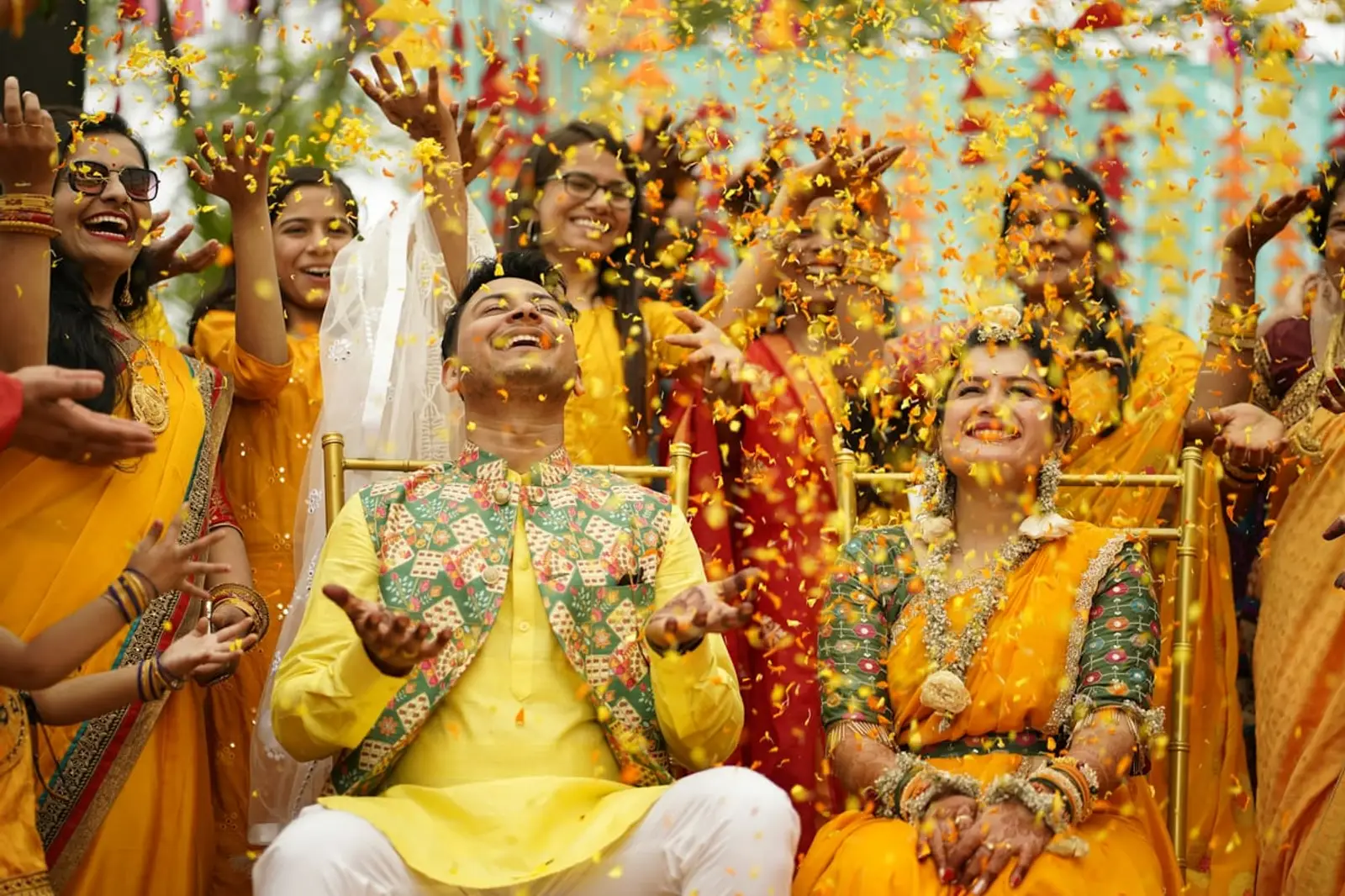
An Indian wedding is not one event. It is four or five across two or three days, each with its own guest list, its own outfits and its own five hundred photos on other people's phones. The haldi photos are on your cousin's phone, the sangeet performance is on twelve phones at once, and the baraat is on a phone that belongs to someone on the groom's side you have never met. The official photographer delivers in three weeks and was in one place at a time. This guide is about the rest: how to collect every guest photo from every function into one place, what it costs in rupees, what to do about WhatsApp, and how a guest at a 600-person reception finds the twenty photos they are actually in.
It is written around EventPixel, which we build and which runs on UPI and INR pricing, and the method works with any QR-based gallery.
The scale, honestly
Take a 400-guest wedding across three functions. If one guest in five takes ten photos per function, that is 2,400 photos across 80 phones before the reception. The largest wedding hosted on EventPixel so far holds 3,029 guest photos in one gallery. At that scale the problem is not "how do we get the photos"; it is "how does anyone ever look at them", which is why the last section of this guide is about face search rather than collection.
The four ways couples do it, and where each breaks
1. The WhatsApp group
Everyone has it, so it is where the photos go by default. Three things break. WhatsApp compresses photos unless each guest remembers to send them as a document or in HD, so the photos that arrive are smaller than the ones that were taken. Five hundred photos in a chat are impossible to find later; the good one from the sangeet is buried under congratulations. And every member sees every other member's number, which is fine for family and awkward for the groom's colleagues. Full breakdown: WhatsApp group for wedding photos. Keep the group for sending the link; do not use it to collect the photos.
2. Google Drive or Google Photos
Original quality, if guests have a Google account and are willing to sign in to it on the day. In practice a shared album asks the older relatives to do the thing they find hardest, and the couple ends up uploading on their behalf. What breaks, in detail: Google Photos shared album for a wedding.
3. The Instagram hashtag
Only the guests who post publicly, only what they chose to post, compressed, and with no way to download the set. A hashtag is for the wedding's public face, not its archive.
4. A QR-code gallery
One code on every table and screen. A guest scans it, the upload page opens in the browser, they pick photos, done, no app, no account, original files kept. The gallery is one place the couple controls. Everything below assumes this method; the rest of the guide is how to run it well across multiple functions.
One code, every function
The mistake first-timers make is a separate gallery per function, which means separate signs, separate links, and guests who uploaded at the mehendi cannot find the reception photos. Use one event and one code for the whole wedding, and keep each function in its own album inside it so the haldi, mehendi, sangeet, pheras and reception do not merge into one undifferentiated stream. The sign at each function changes only its headline: "Show us your mehendi", "Every dance, every photo", "Thank you for celebrating with us". Thirty wording ideas, including a Haldi, Mehendi, Sangeet and Baraat set, are in the QR sign ideas guide, and the printable templates give you 5×7 table cards and a welcome sign with the code already placed.
Add co-hosts: on EventPixel the Premier plan allows three and the Grand plan unlimited (Free has one, Classic two), so the planner, a sibling on each side and the photographer's assistant can all hold the dashboard without the couple's login. That matters at 2 am on the sangeet night when someone needs to delete a photo fast.
The live wall at the sangeet
If you put the live photo wall on one screen at the whole wedding, make it the sangeet. Performances, phones already out, and a room that wants to see itself. The wall is a web link you open on the venue TV or a projector; guest photos appear on it seconds after upload with the QR code in the corner, and it is included on the free plan. Setup for any TV, Chromecast or Fire TV Stick is in the live photo wall guide; the venue's AV team usually needs only the link and an HDMI cable.
What it costs, in rupees
Indian pricing on EventPixel is fixed in INR, not converted, and checkout takes UPI, cards and netbanking (payment methods). Every plan is one-time per event, not a subscription.
| Plan | Price | What it is for |
|---|---|---|
| Free | ₹0 | 100 guest photos, event website, QR code, live wall, basic RSVP. Upload window closes 30 days after the event date; gallery open to guests for 14 days. A test, or a small ceremony. |
| Classic | ₹1,499 | Unlimited uploads, 3-month upload window, 1-year storage, ZIP download. A single-function wedding or a reception on its own. |
| Premier | ₹3,499 | Adds PixelFind face search for every guest, password-protected gallery, 3 co-hosts, 12-month storage. The plan for a multi-function wedding. |
| Grand | ₹5,499 | 12-month uploads, 24-month storage, unlimited co-hosts, EventPixel branding removed. The 600-guest, five-function wedding. |
Current amounts are always on the pricing page; the free plan needs no card to start.
The part that matters at 600 guests: finding yourself
Collecting 3,000 photos is the easy half. Nobody, not the couple and certainly not a guest, scrolls 3,000 photos looking for the six they are in. PixelFind solves it the way guests expect in 2026: one selfie, and the gallery returns every photo that guest appears in, across every function, with no app installed. On EventPixel it is a host-only preview on the Free and Classic plans and available to every guest from the Premier plan; how it works and what happens to the selfie. Kwikpic, the best-known Indian alternative with face recognition, includes it on its free plan but asks guests to install an app first (checked 4 September 2026).
The practical effect at an Indian wedding: the message to guests after the reception is not "here are 3,000 photos", it is "take a selfie and get your photos". That message gets opened.
Privacy, for the families who ask
The gallery is reachable only by its link or code and is never listed publicly. For weddings where the families want it closed, set an event password (print it under the code: something speakable like priya2027), turn guest downloads off if you prefer, and know that photos go live on upload with no approval step: the tool for anything unwanted is instant delete from the dashboard, which is why the co-hosts matter. The couple and co-hosts can always download everything, and nothing is deleted when the guest viewing window ends.
A season checklist (Nov 2026 to Mar 2027)
- Three weeks out: create the event with the wedding date, upload the invitation design or pick an animated invite, add co-hosts, choose the plan.
- Two weeks out: print 5×7 cards for every function's tables and one welcome sign; add the link to the wedding website and the family WhatsApp groups with one line: "one album for every function, scan or tap, no app".
- Each function: cards on tables, code on the welcome board, wall on the sangeet screen, one sentence from whoever has the microphone.
- Morning after the reception: the thank-you message with the link (and "take a selfie to find your photos" on plans with PixelFind for guests).
- Before the upload window closes: one reminder, then download the ZIP and keep your own copy.
The setup itself, step by step and for any wedding, is in how to collect wedding photos from guests.
FAQ
What is the best way to share wedding photos with guests in India?
One QR code for the whole wedding that opens an upload page in the guest's browser, with each function (haldi, mehendi, sangeet, wedding, reception) as its own album inside one gallery. Guests upload without an app or account, the couple keeps original files, and a face search lets each guest find their own photos afterwards. WhatsApp is for sending the link, not for collecting the photos.
Do wedding guests in India need to download an app?
Not with a QR-based gallery like EventPixel: the guest scans the code, the upload page opens in the phone's browser, and they choose photos with no sign-in. App-based alternatives such as Kwikpic ask guests to install the app first, which is where participation drops among older relatives.
How much does a wedding photo sharing app cost in India?
EventPixel is priced in rupees, one-time per event: free for 100 photos, ₹1,499 for unlimited uploads, ₹3,499 with face search for every guest, ₹5,499 for the largest weddings with 24-month storage. Checkout takes UPI, cards and netbanking. Current amounts are on the pricing page.
Can one QR code cover haldi, mehendi, sangeet and the wedding?
Yes, and it should. Use one event and one code for every function, with each function in its own album so the photos stay organised, and change only the sign's headline per function. Separate galleries per function mean separate links guests lose and photos they cannot find.
How do guests find their own photos in a gallery of 3,000?
With face search. On EventPixel's Premier and Grand plans a guest takes one selfie and gets every photo they appear in across all functions, with no app installed. On the Free and Classic plans the host can preview it. Nobody scrolls 3,000 photos, so this is the feature that decides whether the album gets used.
Does WhatsApp reduce wedding photo quality?
Yes, by default. WhatsApp compresses images unless the sender chooses HD or sends them as a document, and most guests do neither. A QR gallery keeps the original file the guest took, up to 10 MB each on EventPixel.
Start with the free plan
Create a free EventPixel event with the wedding date, print one card, and scan it from two phones. If it works in your living room it works at the sangeet. Upgrade to Premier when the guest list passes what one person can scroll, which for most Indian weddings is the first function.
Related reads:






